Every piece of technology we use today was once just an idea someone described before it existed — a device that solves a problem in a way nobody had quite pictured yet. Sketching that idea used to require product design training most people simply don’t have.
A free AI image generator tool removes that barrier entirely, letting anyone describe a gadget concept in plain language and see it rendered as a convincing product design. Dreamina is especially strong at this kind of work, producing gadget concepts with the material realism and lighting polish of an actual product launch photo.
Here’s how to turn your own idea into something that looks ready to ship.
What makes a gadget concept feel genuinely inventable
A convincing concept doesn’t just look futuristic — it looks like it was designed to solve something specific. Believable proportions, sensible material choices, and a clear sense of how a person would actually hold or interact with the device all separate a real product idea from a purely decorative sci-fi prop.
Starting from a problem the gadget solves
Before describing appearance, define the problem your gadget addresses: staying connected off-grid, monitoring health passively, translating language in real time. That functional starting point naturally shapes design decisions — screen placement, size, wearability — in a way that pure aesthetics alone can’t.
- What does the user need to do quickly or hands-free?
- Where on the body or in the environment does it live?
- What single feature makes it feel genuinely new?
Material and finish choices that signal advanced tech
Certain material choices instantly communicate a sense of advanced engineering, even without any functional explanation attached.
- Brushed metal or matte composite for a premium, engineered feel
- Translucent or glass elements for a sense of hidden technology
- Glowing accent lighting to suggest active power or data flow
Design your gadget in three quick moves
Dreamina turns a rough product idea into a polished concept render in a single sitting.
Step 1: Write a text description
Open Dreamina and describe your gadget in detail — its shape, materials, function, and the setting it’s shown in. If you have a rough sketch or a reference image of a similar design style, upload it alongside your text.
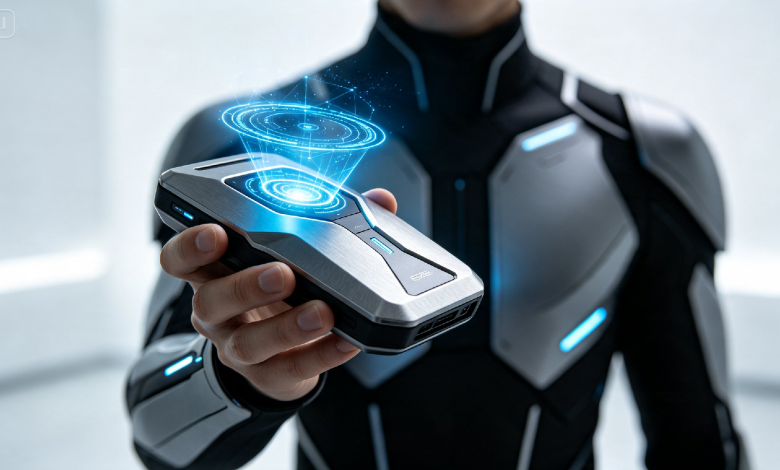
For example: A futuristic wearable gadget concept, a person dressed as a field engineer wearing a smart wrist device with a translucent display, matte titanium finish, soft ambient lighting, highly detailed product render.
Step 2: Adjust parameters and generate
Select Image 5.0 Pro, built on Seedream 5.0 Pro, for accurate material rendering and clean product lighting, then set your aspect ratio, canvas size, and resolution — 1K for a quick concept pass, 2K for a portfolio or pitch-ready image. Click the generate icon to render your design.
Step 3: Customize and download
Refine the concept with Dreamina’s tools: inpaint to adjust specific mechanical details, expand to reveal more surrounding context, remove to eliminate distracting elements, and retouch for a final polished finish. Once satisfied, click Download.
Dreamina: a creative tool with multiple image generation models
Dreamina runs on a set of different image generation models, and for gadget concept work, Seedream 5.0 Pro, the newest and most advanced option, tends to be the strongest fit. Its precise editing capability is especially valuable when you’re iterating on a design — you can swap out a finish, like changing a matte bottle-style surface to something glossier, or adjust a single component, while the rest of the render stays untouched. Its deep-thinking generation also handles dense, detail-heavy briefs well, working through multiple specifications like material, lighting, and function before rendering, which matters when a concept has several precise requirements packed into one prompt.
Nano Banana offers faster generation for quickly testing silhouette and color direction before committing to a fully detailed pass, while GPT Image 2 handles longer, spec-heavy prompts closely, suited to designers who like describing exact mechanical features rather than broad strokes.
Lighting setups that make tech renders pop
Product photography relies heavily on lighting to sell material quality, and gadget concepts are no different. Describing a specific studio lighting setup — soft diffused light for a friendly consumer feel, dramatic side lighting for a bolder, more aggressive look — gives Dreamina clear direction for how reflective surfaces should behave.
Designing a companion interface or display
Many modern gadgets pair a physical object with a digital display or app. Describing this companion interface alongside the physical device, even briefly, adds another layer of believability and hints at how the product would actually function in daily use.
Building a small product line instead of one item
A single gadget concept is compelling; a small coordinated line feels like an actual brand. Generating a few related devices with matching materials and color logic creates the impression of a genuine product ecosystem rather than an isolated idea.
Where these gadget concepts get used
Concept renders built this way support a variety of creative and professional projects:
- Portfolio pieces for aspiring product designers
- Pitch decks for early-stage hardware startups
- Sci-fi worldbuilding for games, films, and fiction
- Social content for tech and gadget enthusiast accounts
Naming and branding your invention
A gadget concept becomes far more memorable once it has an actual name and a hint of brand identity attached — a logo mark etched into the casing, a product name displayed on its screen. Adding these small branding details in your prompt pushes the render from a generic tech object toward something that feels like a real, market-ready product with its own identity.
Showing scale with a human point of reference
Without something to compare against, even a well-rendered gadget can be hard to judge in terms of actual size. Including a person holding, wearing, or standing near the device gives viewers an immediate, intuitive sense of scale.
- A handheld device benefits from being shown in an open palm
- A wearable benefits from being shown worn naturally
- A larger device benefits from a person standing beside it for comparison
The future looks exactly like the words you choose
The gap between imagining a gadget and seeing it fully rendered has never been smaller. With Dreamina and the material-accurate precision of multiple top models, your next idea can go from a sentence to a showroom-ready concept in minutes — and it’s free to start designing right now.